Sec.B-Ch.2-Subsec.3:Processing Raw Medical Data in R
A Practical Guide to Using gather(), spread(), pivot_longer(), and pivot_wider() for Clinical and Biomedical Data Analysis


In data analysis, the way data are stored directly affects the efficiency and accuracy of the analytical process. Two common data storage formats are wide format data and long format data. Wide format is generally easier for humans to read and understand, while long format is usually more suitable for computer processing and statistical analysis.
To address this need, the R programming language provides the tidyr package, which is designed to transform data between these two formats. This guide introduces two of the most commonly used functions in the tidyr package—gather() and spread()—and explains their usage through practical examples.
1. What Are Wide Data and Long Data?
Wide Format Data
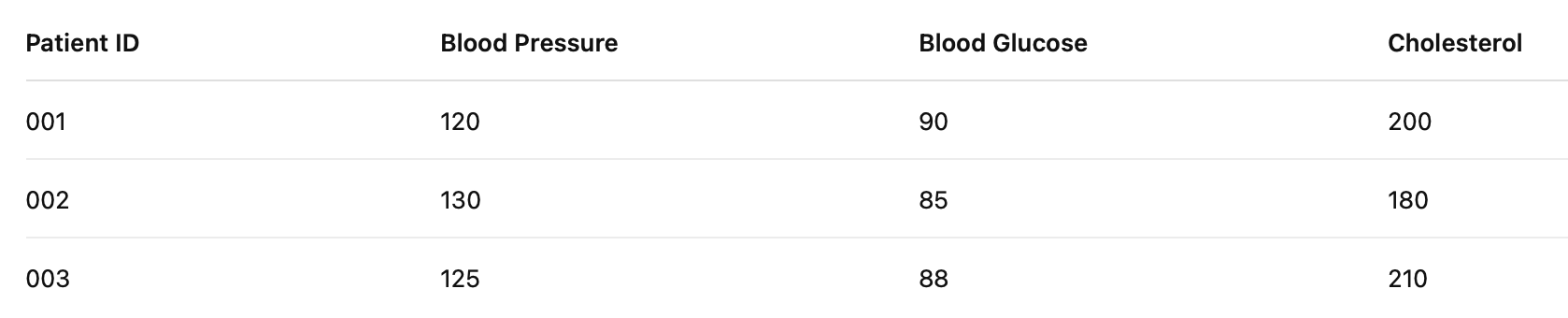
In a wide-format dataset, each row represents a unique entity (such as a patient), and each column represents a different variable or attribute. All variables are expanded across columns, so the data extend horizontally.
For example, a dataset containing patients’ blood pressure, blood glucose, and cholesterol levels may look like the following:
Long Format Data
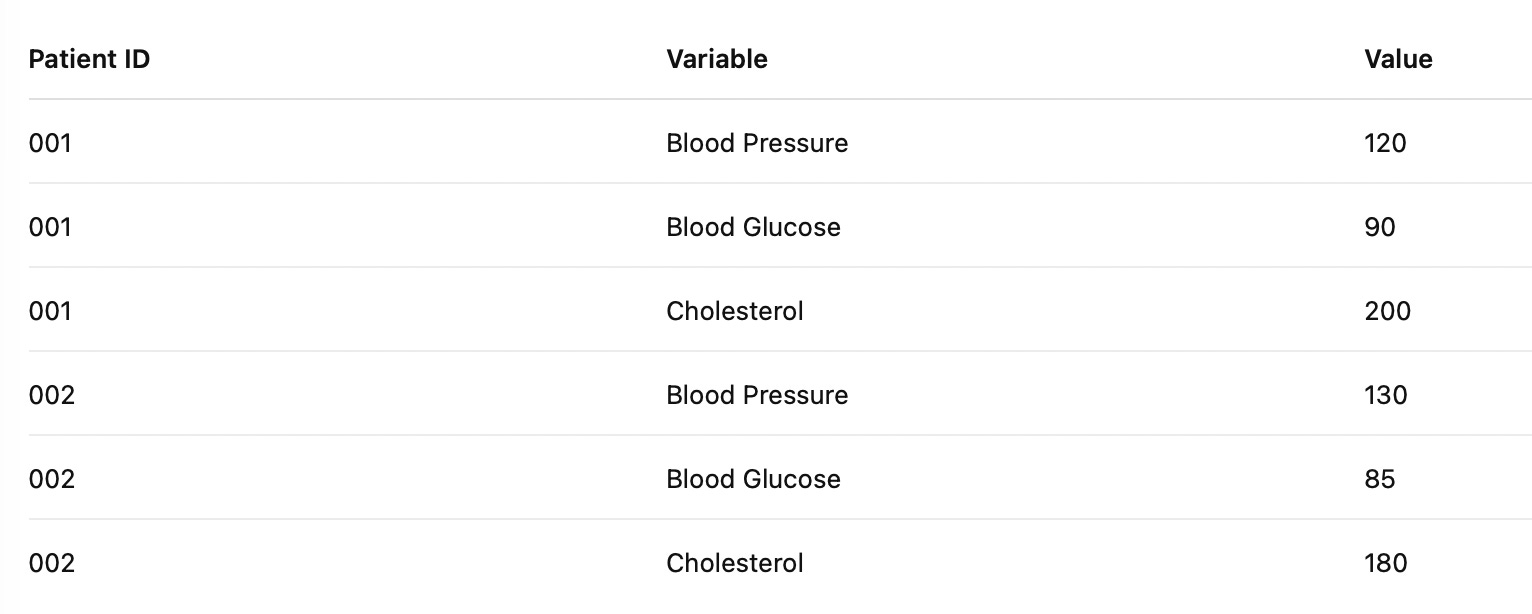
In a long-format dataset, the same entity may appear in multiple rows. Each row records a specific observation or measurement. Typically, there are two key columns: one indicating the variable name, and the other indicating the value of that variable.
For example, the dataset above could be represented in long format as follows: